

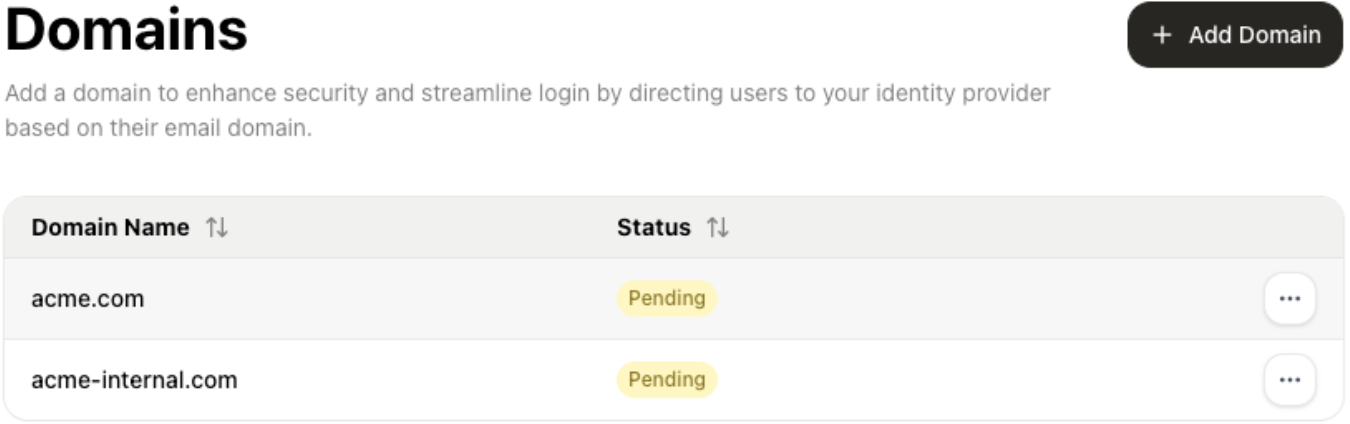
Manage verified and pending organization domains: create, verify, associate with identity providers, and remove — all in a unified table interface.
Setup Requirements
Auth0 Configuration Required Before using the DomainTable component,
ensure your tenant is configured with the proper APIs, applications, and
permissions. Setup guide: My Organization Components Introduction
→
Installation
Option 1: NPM Package
Install the React package:This method installs pre-built components from npm and is the recommended
approach for most applications.
Option 2: Shadcn CLI
If you’re using Shadcn, you can add the DomainTable block directly to your project. You’ll still need to install the core package separately:Basic Usage
Basic implementation
Props
| Prop | Type | Default | Description |
|---|---|---|---|
schema | DomainTableSchema | - | Validation schema for form fields including regex patterns and error messages |
customMessages | Partial<DomainTableMainMessages> | {} | Custom messages object for internationalization support |
styling | ComponentStyling | { variables: {}, classes: {} } | Custom styling variables and CSS classes |
readOnly | boolean | false | Whether the component is in read-only mode |
hideHeader | boolean | false | Whether to hide the component header |
createAction | ComponentAction<Domain> | - | Configuration for create action including onBefore and onAfter hooks |
verifyAction | ComponentAction<Domain> | - | Configuration for verify action including onBefore and onAfter hooks |
deleteAction | ComponentAction<Domain> | - | Configuration for delete action including onBefore and onAfter hooks |
associateToProviderAction | ComponentAction<Domain, IdentityProvider> | - | Configuration for associateToProvider action including onBefore and onAfter hooks |
deleteFromProviderAction | ComponentAction<Domain, IdentityProvider> | - | Configuration for deleteFromProvider action including onBefore and onAfter hooks |